Android All-in-One Touch Devices: Key Advantages of the Android System
Core advantages of Android all-in-one touch devices (for industrial and commercial applications):
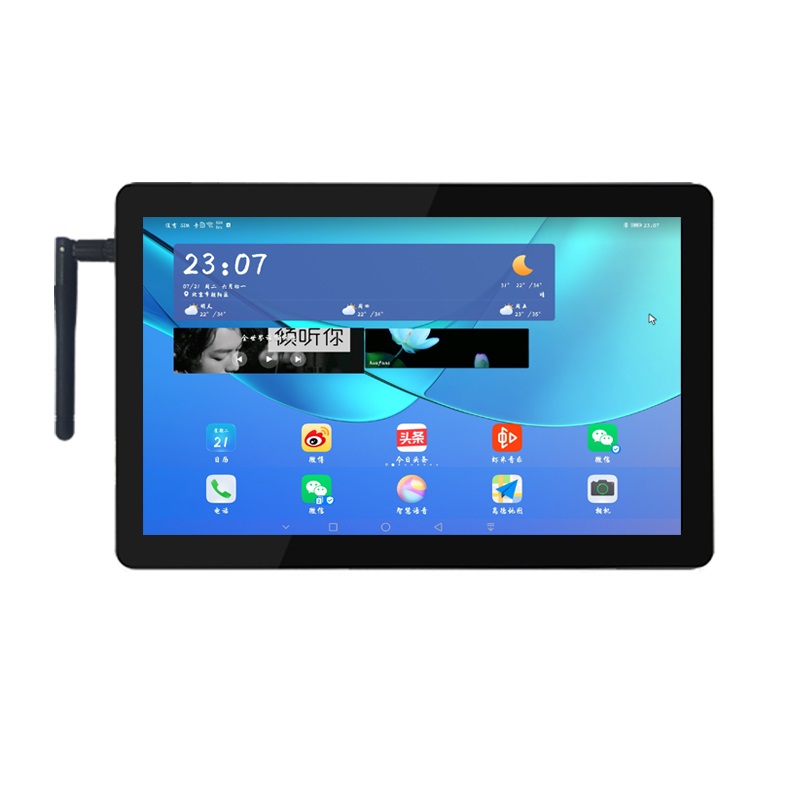
I. Superior Touch Experience, Naturally Suited for Large-Screen Interaction
Android is natively designed for touchscreens and gesture controls, offering rapid multi-touch response and smooth swiping/tapping. It supports glove mode and wet-hand operation, making it ideal for self-service terminals, production line workstations, information kiosks, and digital signage—allowing for easy operation without a keyboard or mouse.
Customizable to launch directly into a specific app upon startup (Kiosk mode), locking out the desktop and preventing unauthorized system exits. This safeguards against accidental employee operation or the installation of unauthorized software, ensuring robust control over commercial devices.
Adaptive support for landscape/portrait modes and various screen sizes/resolutions; the UI scales seamlessly across touchscreens ranging from 10.1 to 32 inches. Visual interaction development is straightforward, resulting in aesthetically pleasing human-machine interfaces (HMI).
II. Low Hardware Requirements and Significant Cost Advantages
Most units feature ARM-architecture processors (e.g., Rockchip, Allwinner). They do not require high-end CPUs or massive memory to run smoothly, offering a 30%–60% cost saving compared to Windows-based all-in-one units of the same size.
No OS licensing fees; eliminating the cost of genuine Windows licenses allows for substantial reductions in total project costs during large-scale deployments (dozens or hundreds of units).
Ultra-low power consumption (5–15W) and support for fanless, sealed chassis designs. These units are dust-proof, shock-resistant, and stable across wide temperature ranges, ensuring a low failure rate during continuous 24/7 operation.
III. Fast Startup, High Stability, and Minimal Maintenance
Cold boot takes only 8–20 seconds. Sudden power loss results in immediate shutdown without system crashes—unlike Windows, which is prone to "Blue Screens of Death" (BSOD) and file corruption—making it perfect for unattended, long-term operation.
Customized, streamlined Android systems eliminate redundant background services. The platform is virtually immune to PC viruses and requires no frequent system patching or antivirus software installation, drastically reducing the IT maintenance workload.
Supports remote, batch OTA (Over-the-Air) upgrades, enabling one-click deployment of app or system updates to all terminals. In the event of a failure, the device can be restored to factory settings and the APK reinstalled, bringing it back online in just over ten minutes. IV. Open-source, highly customizable, and rapid deployment
Based on the open-source Linux kernel, vendors can deeply trim and customize the system—including boot logos, user interfaces, permissions, and peripheral drivers—and adapt the system to domestic hardware and software standards to meet the requirements of government, enterprise, and industrial IT innovation (Xinchuang) projects.
Apps are developed using Java/Kotlin, offering short development cycles and a low learning curve. Software for HMI configuration, IoT data acquisition, POS systems, and self-service kiosks can be deployed quickly, achieving higher development efficiency compared to Windows desktop applications.
Extensive interface support: Seamless compatibility with Wi-Fi, 4G/5G, Bluetooth, NFC, barcode scanners, RS485 serial ports, and Ethernet. It enables rapid integration with PLCs, sensors, and cloud-based MES or IoT platforms, offering flexible deployment for connected devices.
V. Rich software ecosystem and strong adaptability to IoT scenarios
A vast array of mature commercial apps: Ready-made applications—such as digital signage, self-service ordering, access control, electronic displays, smart lockers, queue management systems, and government service kiosks—can be deployed immediately.
Native support for wireless communication protocols: Features include remote screen casting and unified cloud-based management of multiple terminals (allowing for centralized content distribution and online status monitoring), offering significant advantages for batch management across chain stores, industrial parks, and factories.
Supports offline operation with local caching and automatic data synchronization upon network restoration, ensuring reliable performance in environments with unstable connectivity, such as outdoor locations or factory workshops.
VI. Supplementary: Key differentiators compared to Windows and Linux
Compared to Windows: Offers superior touch interaction, lower costs, no licensing fees, no need for antivirus maintenance, and lower power consumption; the downside is the inability to run large-scale PC-based industrial software.
Compared to native Linux: Simplifies visual UI development, provides a polished touch experience, and offers a mature application ecosystem; eliminates the need for command-line operations, enabling mainstream software vendors to quickly develop and deploy applications.
Typical use cases for Android all-in-one units
Smart self-service terminals, digital signage players, MES workstation screens on production lines, smart parcel lockers, retail POS terminals, government service kiosks, smart home control hubs, and smart park information displays.